Cracking a PDF password on a Mac: From 34 hours to 73 seconds
Recently I needed to open an old PDF that was password-protected - but I had forgotten the password years ago.
I was curious… what would it take to crack it using all the computing power of my Mac? How much fast could I go?
PDF files support three levels of password protection:
- 40-bit RC4 (Weak): Legacy standard with basic protection; supported by all old PDF readers, but easily cracked with modern hardware.
- 128-bit RC4 / AES (Strong): Industry staple for many years, scrambling data in 128-bit blocks using keys derived from user passwords.
- 256-bit AES (Strongest): Modern gold standard for high-security documents, uses advanced cipher block chaining to make brute force attacks mathematically impossible within practical timeframes.
My PDF was created on MacOS; it still creates 128-bit RC4 / AES files. Adobe’s page for adding password to a PDF does the same.
The PDF ‘user password is’ what’s required to open it (there’s also a owner password that restricts printing, copying text, etc - I’m not interested in that).
The protection is described in the PDF specification. To brute force it, in short:
- Take a password guess, pad it to 32 bytes with a known byte sequence.
- Create a 16-byte MD5 digest using the padded password and some document attributes.
- Do 51 MD5 hash operations.
- Repeat billions of times.
I wrote a multithreaded utility that can use my M5 Macbook Pro’s 18 CPU cores to guess passwords:
Single CPU core: 34 hours
Using only a single thread, I was able to crack the password in 34 hours, using ([a-zA-Z0-9]) as the default default character set to seach. (aaa, aab, aac, etc).
Smarter search: …down to 28 minutes
I reduced the character set to ([a-z]), and was able to reduce the search space significantly - getting the password using a single thread now took 28 minutes.
I think the best way to approach a password search would be to search the most obvious character sets first - Start with ([a-z], then ([a-zA-Z]) (excluding the previous set), then ([a-zA-Z0-9]) (etc).
All CPU cores: …down to 6.6 minutes
Running password guesses on all CPU cores sped it up four times - but wait, why am I not getting an 18x increase?
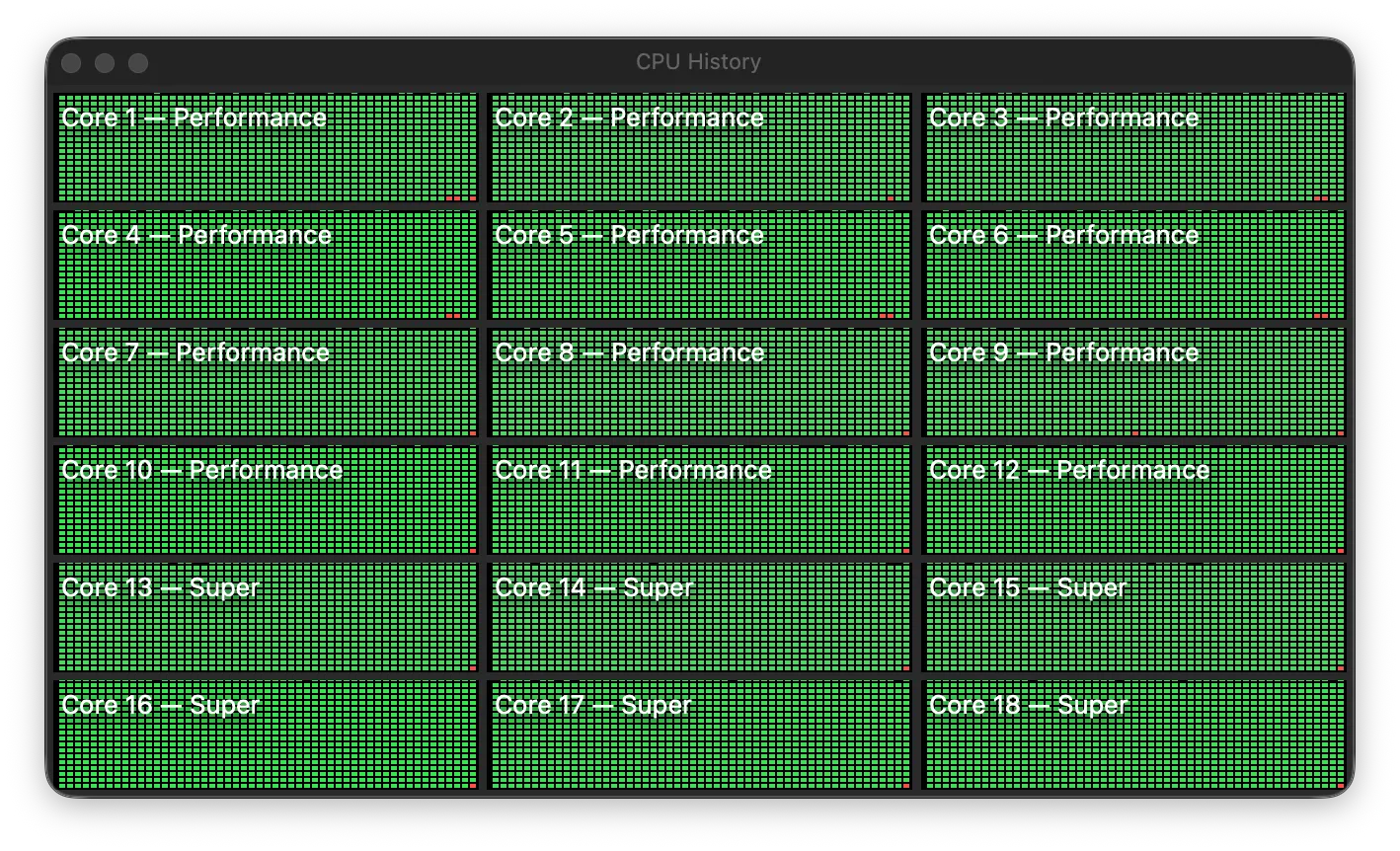
Of those 18 CPU cores:
- Six are ‘Super’ cores (for heavier multithreaded workloads).
- Twelve are (slower) Performance cores
The first six super cores did the bulk of the work; using just the Super cores I found the password in 7.33 minutes. Adding the additional twelve performance cores didn’t help much; using all 18 cores I got it down to 6.66 minutes.
The power cost for all cores was almost 50 watts.
I also ran into DVFS (dynamic voltage/frequency scaling) limitations.
The six super cores share a power/voltage domain, and the maximum sustainable clock for that domain goes down as more cores in it become active, to stay within the cluster’s shared power delivery budget — independent of thermal throttling 1 active P-core boosts higher than when all 6 are busy, because the chip is managing a shared power ceiling, not a shared heat ceiling.
I verified this with the macOS ’powermetrics` utility:
- With one core doing the work, most work ran at 4608 MHz.
- With six cores doing work, most work ran at 4236 MHz.
…so my ~4x increase in throughput isn’t unexpected.
I verified this by running other multithreading benchmarks that can scale from 1 to N threads, and obtained similar results.
Enter the GPU: …down to 73 seconds
Password guessing is an embarrassingly parallel operations - something that GPUs excel at.
After porting the password verification code to a compute shader, I found the password in 73 seconds - a 5.5x increase over what all the CPU cores could do!
The system using about 60 watts of power, which isn’t a big increase over the CPU power usage. Using all GPU and CPU cores tops out at 90 watts, and didn’t significantly increase throughput - probably due to thermal and architecture limitations.
Next steps
My utility is great for finding complex passwords - but could benefit from using word lists to find the most obvious candidates first.